
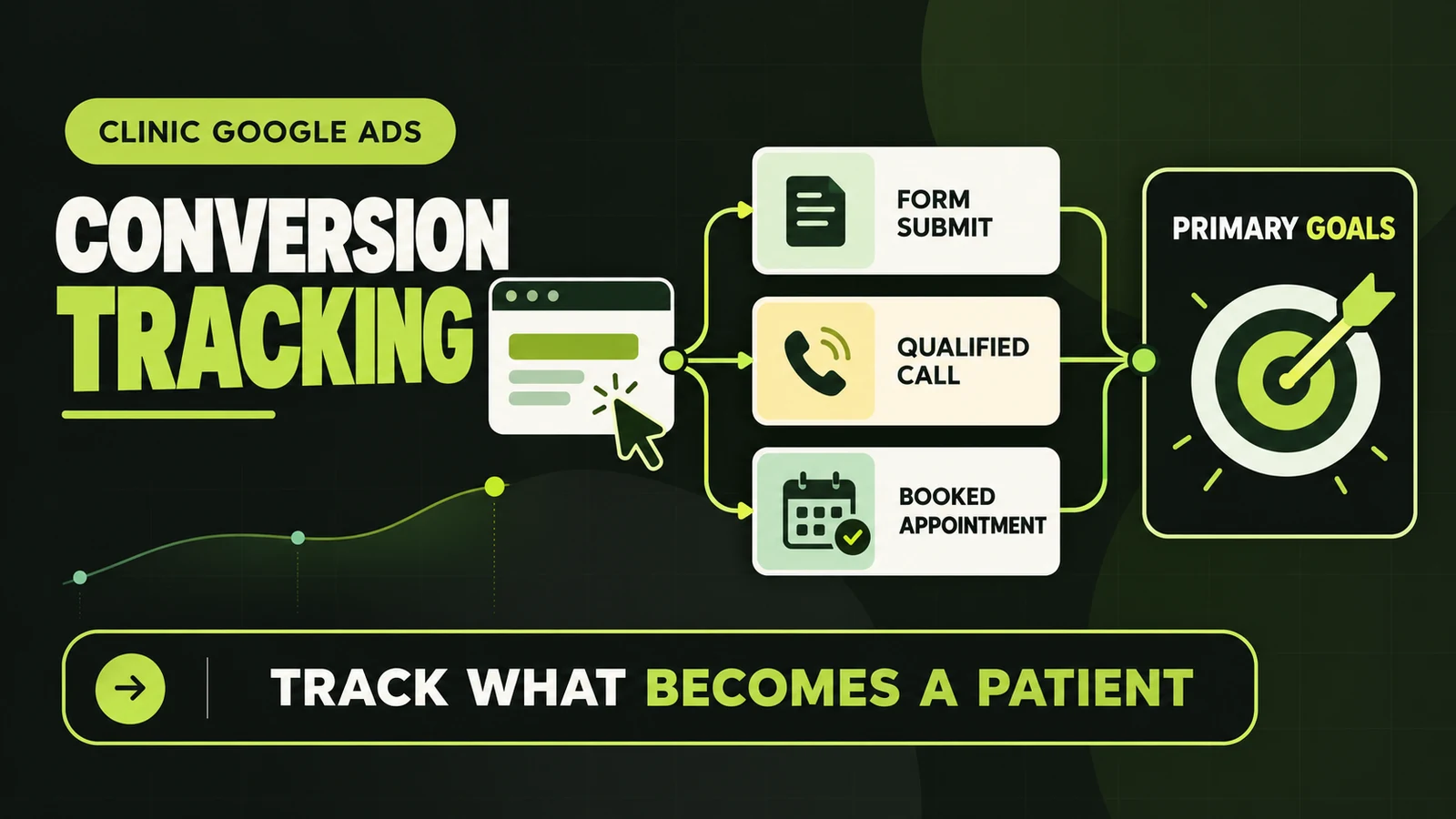
Google Ads conversion tracking for clinics should answer one business question: which ads produced a meaningful patient enquiry or booking? It should not simply count every tap, page view and button click that happens after an ad visit.
A reliable setup separates completed forms, qualified calls and confirmed appointments from weaker signals such as a booking-button click. The completed actions can guide bidding. The weaker signals remain visible for diagnosis without teaching Google to chase activity that may never become a patient.
This article is the implementation guide. If you first need the business case, read why conversion tracking matters in Google Ads. For broader campaign structure, use our parent guide to Google Ads for functional medicine clinics.
Recommended clinic goal structure: make completed enquiry forms, qualified calls and completed bookings primary actions. Keep phone-link clicks, booking-button clicks, directions and general page engagement secondary unless they reliably represent a finished lead.
Google Ads Conversion Tracking for Clinics Starts With a Measurement Plan
Do not install tags until the clinic agrees on what each action means. A conversion name such as “Contact” is too vague. It may refer to opening a form, clicking submit, seeing a confirmation message or actually sending valid details.
Map the patient journey and assign one owner to each stage:
| Action | Suggested role | What must be true |
|---|---|---|
| Completed enquiry form | Primary | Submission succeeded and the clinic received it |
| Qualified phone call | Primary | Call met a meaningful duration or was qualified later |
| Completed appointment booking | Primary | Booking platform confirmed the appointment |
| Booking-button click | Secondary | Visitor opened the booking flow; completion is unknown |
| Phone-number click | Secondary | A device opened the dialer; a connected call is unknown |
| Service-page view | Observation | Useful for analysis, not a lead |
Google defines primary actions as eligible for the “Conversions” column and bidding when the campaign uses the associated goal. Secondary actions are observation-only in “All conversions,” except when included in a custom goal. That exception matters: a secondary label does not protect you if the campaign is explicitly bidding to a custom goal that contains it.
Choose Direct Google Ads Tracking or a GA4 Import
Clinics commonly use one of two paths.
Direct Google Ads measurement creates the conversion action in Google Ads and fires the Google Ads event through the Google tag or Google Tag Manager. It keeps ad measurement close to the bidding platform and is useful when the action exists specifically for paid-search optimization.
GA4 import records the website event in Google Analytics, marks it as a key event and imports it into Google Ads. This can be convenient when GA4 is the clinic’s central measurement layer across organic, referral and paid traffic.
Either route can work. Do not create both versions as primary for the same form or booking. If a direct Google Ads tag and an imported GA4 event both count one submission, reporting can show two conversions for one enquiry. Choose one bidding source and keep the other secondary only when there is a clear reconciliation reason.
Step 1: Confirm the Base Tag and Account Connection
- In Google Ads, open Goals → Conversions → Summary and create a website conversion data source.
- Scan the clinic’s domain to see whether a Google tag or linked Analytics property is detected.
- If using the Google tag directly, install it once across the public website. Do not paste duplicate site-wide tags through the theme, a plugin and Tag Manager.
- If using GA4, confirm the correct property and web stream are linked to the correct Google Ads account.
- Record the tag ID, Analytics property, container owner and publication date in a simple tracking register.
Google’s setup flow supports URL-based conversions for confirmation pages and code-based events for button clicks or complex logic. A unique confirmation page is usually the simplest reliable form trigger.
Step 2: Track Completed Clinic Forms
Best option: a unique confirmation page. Configure the form to redirect only after the server accepts the submission—for example, to /consultation-request-received. Create a conversion based on that URL. Do not link to the page elsewhere, and prevent accidental repeated page loads where practical.
Event option: a success event. If the form stays on the same page, fire the conversion only after the form returns a genuine success state. A click on the submit button is not enough. Validation can fail, the network can time out or spam protection can reject the request after the click.
Test invalid and valid submissions separately. The invalid form should not fire. The valid form should appear once in Tag Assistant and reach the clinic’s inbox or CRM. If it fires twice, inspect duplicate event listeners, multiple tags and history-change triggers.
Step 3: Track Calls Without Counting Every Tap
Google Ads can measure calls from call assets, calls to a number displayed on the website and clicks on a phone link. These are not equivalent.
- Calls from ads: a Google forwarding number can connect the call to the ad interaction.
- Calls from the website: number-replacement tracking can connect a later website call to the ad click.
- Phone-link clicks: this only confirms that the visitor tapped the number, not that the call connected.
When using call duration as the qualification rule, review real clinic call history rather than choosing an arbitrary threshold. Time the greeting and phone menu, then ask front-desk staff how long a genuine new-patient conversation usually lasts. A 60-second threshold can still count voicemail, scheduling changes or existing-patient calls.
Until call outcomes are reconciled with clinic records, report tracked calls as calls—not confirmed patients.
Step 4: Track Completed Online Bookings
A booking button on the clinic website often opens a third-party scheduler. Tracking the click is easy; tracking the completed appointment is the real goal.
- Check whether the booking platform supports a confirmation-page redirect, native Google/GA4 integration, Tag Manager or a webhook.
- Create a completion event only after the appointment is confirmed.
- Keep the initial booking-button click as secondary so you can measure drop-off between opening and finishing the scheduler.
- Test reschedules, cancellations and repeat page loads so they do not create misleading new-lead counts.
If the platform offers no completion signal, do not rename the click “Booked appointment.” Call it “Booking flow opened” and leave it secondary. Accurate limitations are more useful than confident but false reporting.
Step 5: Import a GA4 Key Event Into Google Ads
For clinics using GA4 as the event source:
- Create and test a clearly named event such as
generate_leadorappointment_booked. - In GA4, go to Admin → Events and mark the event as a key event. A new event may need to fire before it appears.
- Link the correct GA4 property to the correct Google Ads account.
- In Google Ads, create a conversion and select the Analytics property and event.
- Review its action optimization. Google notes that conversions created through the Analytics interface may start as secondary; change the setting only after testing.
Imports are not retroactive, and Google says it can take up to 24 hours for imported data to appear. Do not repeatedly recreate the conversion because it is absent immediately.
Step 6: Set Primary and Secondary Actions Deliberately
For a clinic lead-generation campaign, a clean default is:
- Primary: successful enquiry form, qualified new-patient call, confirmed appointment.
- Secondary: click-to-call, booking-flow open, WhatsApp click, directions, email click.
- Not a conversion: ordinary page view, scroll depth or time on page.
Then open the campaign’s goal settings and confirm that it uses the intended account-default or campaign-specific goals. A conversion action can be marked primary yet still not influence a campaign if that campaign does not use its goal.
Step 7: Test the Entire Journey
Use Tag Manager Preview or Google Ads Tag Assistant before relying on the data. Test from a fresh browser session and record the expected result for every action.
- Submit one invalid and one valid form.
- Complete one test booking and verify the confirmation trigger.
- Tap the phone link and place a test call where call tracking is configured.
- Confirm each event fires once, carries no patient information and reaches the correct property/account.
- Check Realtime or DebugView in GA4 when GA4 is the source.
- After processing time, segment Google Ads reporting by conversion action.
Repeat the test after a redesign, form update, booking-platform change or consent-banner deployment.
Why Clinic Conversion Counts Become Inflated
The most common cause is not fraud. It is measurement design. One patient journey may fire a booking-button click, a form submission, a thank-you page view and a call event. If all four are primary, Google can optimize toward four reported conversions even though the clinic received one person.
Other causes include thank-you pages that reload, tags installed twice, imported and direct versions of the same event, internal staff tests, repeat submissions and a “count every” setting where “one” is more appropriate for lead generation.
Fractional totals also deserve investigation. If a report shows 42.5 conversions, do not translate that into 42.5 patients. Segment by conversion action and review attribution, counting and source settings. Report “tracked conversions” until the clinic can reconcile the number to unique qualified leads and attended appointments.
Clinic Privacy and Tracking Safeguards
Do not send names, email addresses, phone numbers, symptoms, conditions, appointment reasons or other identifying health information in URLs, page titles, event names, labels or custom parameters. Google’s Analytics policy prohibits sending personally identifiable information, and Google states that HIPAA-regulated entities must not use Analytics in a way that gives Google access to PHI.
Authenticated patient portals and clinical booking flows require particular care. HHS guidance says regulated entities must assess whether tracking technologies disclose protected health information and apply the Privacy and Security Rules where relevant. Do not place advertising or analytics tags inside a patient portal by default.
This is not legal advice. Have a privacy professional review the clinic’s pages, vendors, consent configuration and data flow. Enhanced conversions and user-provided data deserve a separate review; do not enable them merely because Google recommends the feature.
A Monthly Conversion-Tracking QA Checklist
- Primary actions still represent completed leads or bookings.
- Secondary actions are visible but excluded from ordinary bidding.
- Each test conversion fires once.
- Form totals roughly reconcile with inbox or CRM records.
- Call totals and qualification rules match the call log.
- Booking completions reconcile with the scheduler.
- No PII or health information appears in collected URLs or event parameters.
- Conversion statuses show active rather than unverified or inactive.
- Website, consent and booking-platform releases are documented.
Frequently Asked Questions
What should a clinic track as a Google Ads conversion?
Track completed enquiry forms, qualified calls and confirmed bookings. Keep clicks and page engagement secondary unless they reliably equal a completed lead.
Should a booking-button click be primary?
Usually not. It proves that the scheduler opened, not that an appointment was booked. Use the confirmed booking event as primary whenever the platform supports it.
Can a clinic import GA4 key events?
Yes. Test the event in GA4, mark it as a key event, import it into Google Ads and review whether it should be primary or secondary.
Track the Outcome You Want Google to Find
A clinic account should not look successful because visitors clicked buttons. It should show which campaigns produced completed enquiries, meaningful calls and confirmed appointments—and how many of those became patients.
Build the measurement plan first, choose one source for each action, keep micro-conversions secondary, test every trigger and reconcile platform data with the clinic’s records. That gives Smart Bidding a cleaner signal and gives the clinic an honest basis for budget decisions.
If you want us to audit your account’s goals, tags and lead definitions, explore our Google Ads management for wellness clinics or reserve a call with Salem below.
Sources
- Google Ads: Set up your web conversions
- Google Ads: Manage primary and secondary conversion actions
- Google Ads: Create conversions from Google Analytics events
- Google Ads: Measure the calls you receive
- Google Tag Manager: Preview and debug containers
- Google Analytics: Avoid sending personally identifiable information
- HHS: Online tracking technologies and HIPAA-regulated entities