
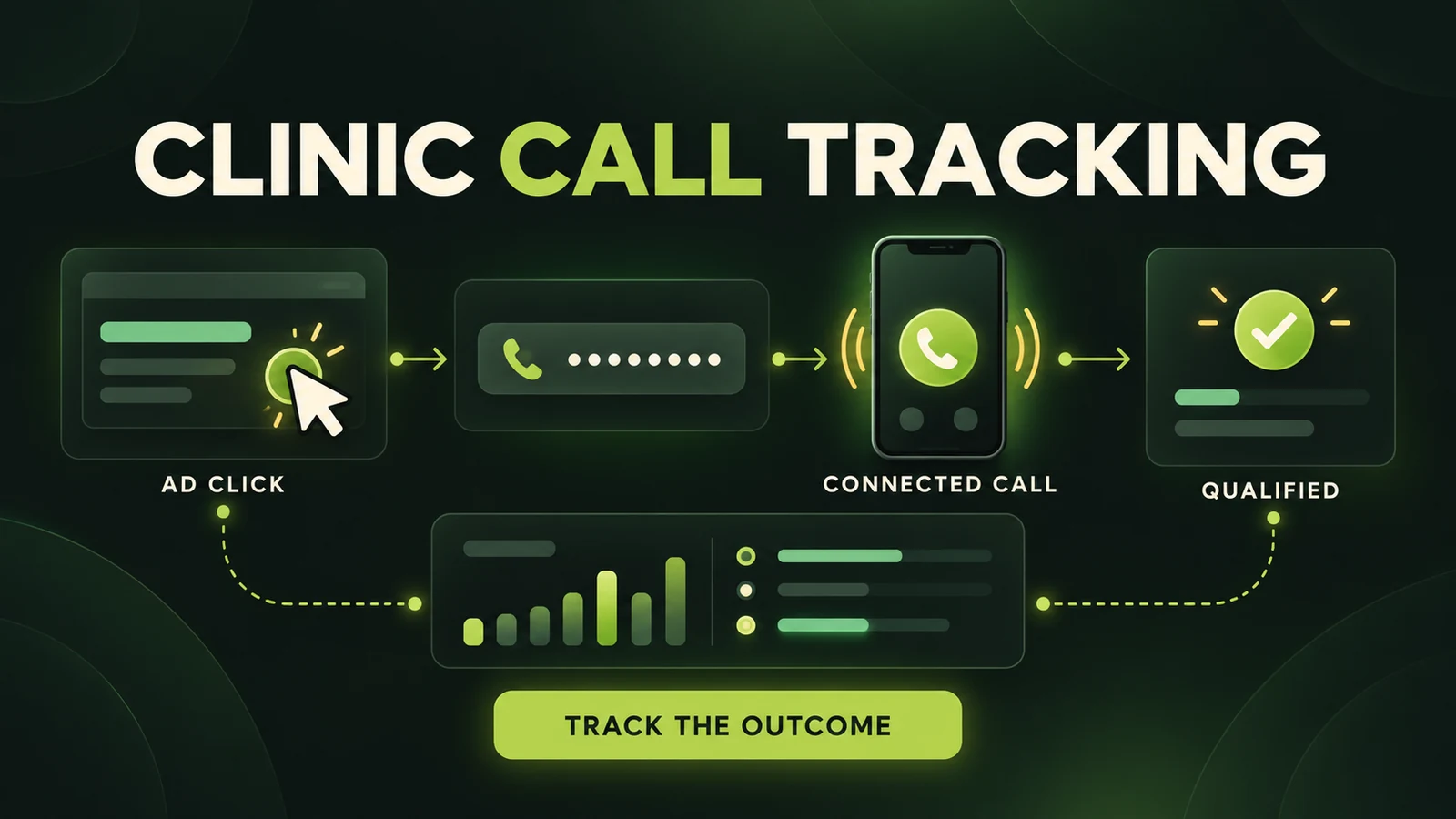
Call tracking for clinic Google Ads should answer more than “did someone tap the phone icon?” A useful setup shows whether an ad produced a connected call, whether the conversation was long enough to be meaningful, and—ideally—whether the caller became a qualified enquiry or booked patient.
Those are different events. Counting all of them as equal conversions can make a campaign look healthier than it is. This guide explains the main Google and third-party tracking options, how to choose a call-duration threshold, how to test the system, and what healthcare practices should review before sharing or recording call data.
Call tracking is one layer of a larger measurement plan. If forms and bookings also matter, start with our Google Ads conversion tracking guide for clinics. For campaign structure and policy context, see Google Ads for functional medicine.
The short version: use connected-call reporting where it is supported, keep phone-link clicks as a secondary signal, set a duration threshold from your own call history, and send qualified outcomes back only after a privacy and data-flow review.
First, Separate Four Different Phone Events
A patient journey can generate several measurements from one attempt to contact the clinic. Each event answers a different question.
| Event | What it proves | Recommended use |
|---|---|---|
| Phone-link click | A visitor tapped or clicked a number | Secondary interaction |
| Connected call | The call reached the tracked line | Operational signal |
| Duration-qualified call | The connection exceeded your threshold | Primary lead proxy when quality data is unavailable |
| Qualified or booked call | Staff confirmed a useful business outcome | Best optimization outcome when imported safely |
A mobile phone-link click does not prove that the caller pressed the final call button, connected, spoke to staff or met the clinic’s criteria. It can still help diagnose intent, but it should not carry the same weight as a verified call. If both the click and the connected call are primary conversions, one person can inflate reporting with two “leads.”
Call-Tracking Options for Clinic Google Ads
1. Calls from ads and call assets
Google Ads call reporting uses a Google forwarding number to route a call to the clinic while recording details such as start time, duration, status, call source, campaign and ad group. The forwarding number is temporary measurement infrastructure—not a number to print on brochures, profiles or signage.
This option is useful when a searcher calls directly from an ad. Configure a phone-call conversion action and decide how long the call must last before it appears in the Conversions column.
2. Calls to a number on the website
Website call conversion tracking dynamically replaces the clinic number for eligible visitors who arrived through Google Ads. When the visitor calls the forwarding number, Google can connect the call to the earlier ad interaction. Google documents an attribution window of up to 60 days after the click for this setup.
The page should retain the clinic’s real number as a working fallback. The tracking tag or supported implementation handles replacement for eligible sessions; it should not leave visitors with a broken or permanently substituted number.
3. Clicks on a phone number
A click conversion can be configured for a telephone link, especially on mobile. This is the easiest measurement and the weakest evidence. It records the click, not the conversation. Use it when connected-call reporting is unavailable, or keep it as a secondary action for interface analysis.
4. Third-party call tracking and offline imports
Specialist platforms may provide dynamic number insertion, number pools, source attribution, routing, scoring, transcription or CRM connections. Some supported providers can pass click identifiers and call outcomes back to Google Ads. This can move optimization closer to a qualified call or booked consultation instead of raw call volume.
More detail also creates more responsibility. Map which vendors receive data, what they store and who can access it. Do not assume that a marketing feature is automatically appropriate for healthcare.
Step-by-Step Setup
Step 1: Define the business outcome before opening Google Ads
Write a simple call definition with the practice manager or front desk. A qualified call might mean a prospective patient seeking an offered service within the licensed service area. A booked call is stronger: staff confirmed an appointment. Exclude existing-patient administration, vendors, job enquiries, wrong numbers and spam.
Keep the definition operational rather than diagnostic. Marketing reports rarely need symptoms, diagnoses, treatment details or free-text notes.
Step 2: Create the right conversion actions
In Google Ads, create separate actions for calls from ads, website calls and phone-link clicks. Name them clearly—for example, “Call from ad — 60+ seconds” and “Phone-link click — secondary.”
Enable call reporting for the appropriate account or campaign settings and confirm that the destination number is correct. Google forwarding numbers and eligible formats vary by country, so check availability for the clinic’s market.
Step 3: Implement website number replacement
Install the Google tag and the phone-call conversion snippet according to Google’s current instructions, or use a supported tag-management implementation. The displayed number and clickable tel: link must remain synchronized. If the site has the number in the header, footer and contact section, test every instance.
For a third-party platform, configure the number pool, source rules and fallback behavior. Make sure organic, referral and direct visitors are not incorrectly attributed to paid search.
Step 4: Choose a duration threshold from real calls
There is no responsible universal threshold. Ten seconds may capture a voicemail connection; 60 seconds may exclude a concise but valuable booking call. Review a sample of the clinic’s own answered-call durations, accounting for greetings, phone menus, transfers and hold time. Then choose the shortest duration that usually indicates a genuine conversation.
Recheck the threshold after routing or staffing changes. A new menu that adds 25 seconds can alter the meaning of the same conversion rule.
Step 5: Decide which actions are primary
Primary actions influence the Conversions column and can guide automated bidding. Secondary actions remain observable without being used as the main optimization signal. A practical hierarchy is:
- Primary: imported qualified calls or booked consultations, when the integration is accurate and privacy-reviewed.
- Primary proxy: connected calls above a defensible duration threshold.
- Secondary: phone-link clicks, short calls and other early interactions.
Do not turn every observable event into a primary conversion. Automated bidding learns from the definition you provide, even when that definition rewards low-quality actions.
Step 6: Import quality outcomes carefully
If staff or a CRM identifies a qualified call, the outcome can sometimes be imported using the relevant click or call identifier. Use controlled categories such as qualified, not qualified or booked. Avoid sending sensitive narrative fields, health conditions or unnecessary personal details to advertising platforms.
How to Read Call Reporting Without Misreading It
Google distinguishes phone calls from phone-call conversions. The Calls column can include tracked calls; the Conversions column includes calls that satisfied the chosen conversion action and threshold. Those totals should not be expected to match.
Dates can differ too. Call-detail reporting can show the date a call occurred, while conversion reporting attributes the outcome to the date of the ad interaction. A weekly comparison may therefore look inconsistent near the date boundary even when both reports are functioning correctly.
Review missed and received calls, duration, campaign, ad group, source and time of day. Then reconcile the marketing report with the clinic’s phone system or CRM. A campaign that generates qualified missed calls at lunchtime may need a staffing or routing fix rather than a keyword change.
Healthcare Privacy and Call Recording Safeguards
Healthcare call tracking needs a documented data-flow review. The U.S. Department of Health and Human Services states that HIPAA-regulated entities must evaluate disclosures made through online tracking technologies and comply with applicable Privacy and Security Rule obligations. Applicability depends on the entity, data, page and vendor relationship; this article is not legal advice.
- Inventory Google, the call-tracking provider, phone system, CRM and any transcription or analytics vendor.
- Collect and share the minimum data needed for measurement.
- Keep symptoms, diagnoses, treatment details and patient portal activity out of advertising event labels and URLs.
- Review vendor agreements, access controls, retention, security and whether a business associate agreement is required where applicable.
- Do not place marketing tags on authenticated portal or sensitive intake pages by default.
- Review local consent and call-recording laws before enabling recording or transcription.
Google’s current call-recording documentation places additional conditions on the feature and notes special handling for identified healthcare advertisers. That is not a blanket permission to record. A clinic should obtain appropriate legal and privacy advice and provide required notices before enabling any recording workflow.
Pre-Launch Testing Checklist
- Click a test ad or use Google’s approved diagnostic method; do not repeatedly click live ads.
- Confirm the forwarding number appears only for eligible traffic and routes to the right clinic line.
- Test desktop and mobile, including the visible number and the
tel:link. - Confirm the real number returns after the tracked session or when replacement is unavailable.
- Place an answered call, a missed call and a voicemail call.
- Test calls just below and above the selected duration threshold.
- Verify that one caller does not create two primary conversions from a click and a call.
- Check campaign, ad group, time, status and duration in reporting after processing.
- Test after-hours routing and any location-specific numbers.
- Reconcile the test outcome with the phone system or CRM.
Common Problems and What to Check
- No call details: confirm call reporting is enabled and the campaign or asset is eligible.
- Website number never changes: check tag status, number formatting, recent eligible ad traffic, consent behavior and script conflicts.
- Calls appear but conversions do not: compare call duration with the configured threshold and confirm the action is included in goals.
- Too many conversions: look for duplicate primary actions, especially phone-link clicks plus connected calls.
- Poor-quality calls: inspect search terms, locations, schedules and ad wording before simply raising the duration threshold.
- Replacement breaks after a redesign: the developer may have changed the phone-number markup or inserted multiple formats.
- Attribution does not match the CRM date: remember that Google may report the conversion on the original ad-interaction date.
Frequently Asked Questions
What counts as a call conversion in Google Ads?
A call counts when it meets the configured conversion conditions, such as source and minimum duration. A separately imported qualified or booked outcome can provide a stronger signal.
Does clicking a phone number mean the call connected?
No. It records the click, not the completed call. Keep phone-link clicks secondary when connected-call data is available.
How long should a qualified clinic call be?
Use the clinic’s own call patterns. Allow for greetings, menus and hold time, then choose a threshold that removes brief abandoned or wrong-number calls without excluding concise genuine enquiries.
Can a clinic record calls from Google Ads?
Possibly, but only after a separate legal, consent, privacy, security and vendor review. Recording should not be enabled by default simply because the platform offers it.
Does a Google forwarding number replace the real clinic number?
It temporarily routes supported tracked calls to the clinic’s real line. It is not a permanent business number and should not be reused elsewhere.
Track the Conversation That Matters
Reliable clinic call tracking moves in stages: measure the connection, filter obvious low-value calls, confirm qualification and reconcile the result with the clinic’s real operations. The closer the optimization signal gets to a legitimate booked-patient outcome, the more useful the campaign data becomes.
If you want call tracking, form tracking and campaign goals reviewed as one system, explore our Google Ads management for wellness clinics or book a strategy call below.
Sources
- Google Ads Help: About call reporting
- Google Ads Help: About phone call conversion tracking
- Google Ads Help: Ways to track phone call conversions
- Google Ads Help: Analyze call reporting data
- Google Ads Help: Call details report
- Google Ads Help: Call details forwarding
- Google Ads Help: Call recording settings
- HHS: Use of online tracking technologies by HIPAA covered entities and business associates